THE FILM FRIEND
The Film Friend for iPhone and Android

Every tool.One pocket.

Meter, plan the light, shoot, develop, print, scan and log it all. Offline, no account, in 33 languages.

Scroll
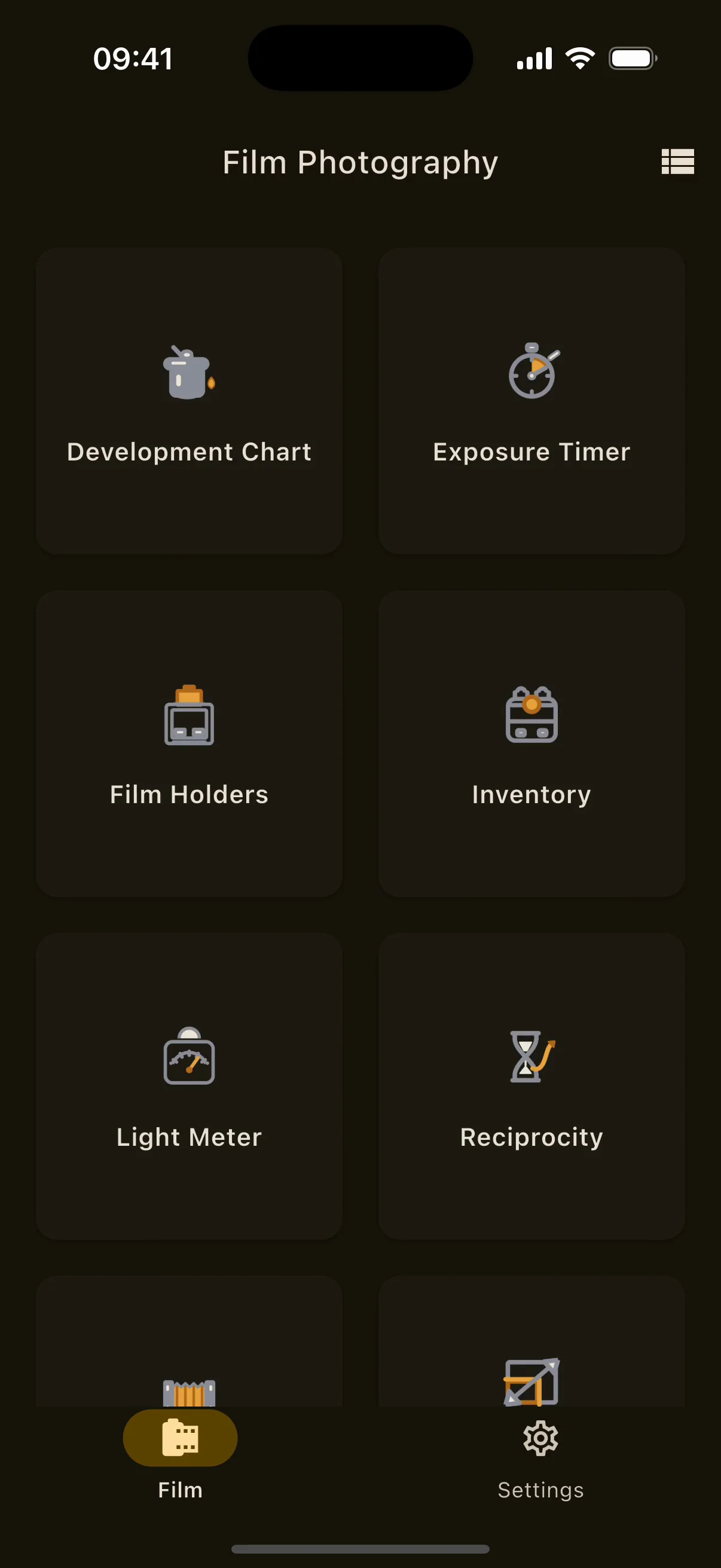
The Film hub on iPhone in the dark theme, with tiles for Light Meter, Development Chart, Sun Tracker, Exposure Timer, Film Holders and Inventory.

01Light Meter

Placethe shadow.

A reflected light meter that reads your phone's own sensor data, with a live Zone System map drawn over the scene.

  • SPOT METERING
  • AV OR TV
  • LIVE HISTOGRAM

Most phone meters guess from the preview image. The Film Friend reads the effective ISO, exposure time and aperture of every frame from Camera2 and AVFoundation and works out true scene luminance, so the reading does not move when the phone's auto exposure does. Tap a shadow, place it on a zone, and watch where the highlights land.

Everything in Light Meter28 items

Metering engine

  • Absolute metering model from per-frame sensor metadata: effective ISO, exposure time and lens aperture, K = 12.5.
  • Gamma linearised per pixel; clipped spots are rejected instead of averaged.
  • Falls back to relative metering when metadata is missing or older than two seconds, and says so.
  • Native Camera2 on Android and AVFoundation on iOS feed the model.

Modes and scales

  • Aperture priority (Av) and shutter priority (Tv). The computed wheel scrolls by itself.
  • ISO 1 to 25,600 in 25 steps, including 125, 160, 250, 320, 500, 640, 1000, 1280 and 2000.
  • Apertures f/1 to f/64 in full stops or in thirds of a stop (37 values), so a reading lands where the lens clicks.
  • Shutter speeds from 1/8000 s to 30 s.
  • Equivalent exposure pairs for the same EV.

Spot and Zone System

  • Tap to spot-meter. The spot locks and its marker fades after two seconds.
  • An eleven-swatch strip, zones 0 to X. Place the spot on any zone and the exposure shifts to match; the EV chip names the zone.
  • Real-time zone map: a 14-cell grid over the preview, cells in the same zone merge into labelled regions, one stop per zone, independent of the phone's auto exposure.
  • Red numerals mark clipped samples.
  • False colour overlay rendered per pixel on the GPU, with a ruler relative to Zone V. Choose zones, false colour, or no overlay.

Readouts

  • Live luminance histogram.
  • EV readout chip.
  • Colour temperature in kelvin.

Freeze and saved readings

  • Freeze holds the frame and its zone map. Both wheels stay adjustable and the map moves exactly one zone per stop; new spot readings can be taken on the held frame.
  • A library of saved readings with title and notes, each storing exposure, metered EV, spot zone, colour temperature and date.
  • Export a reading as an image, shared or saved to Photos, with five burn-in switches: zone overlay, aperture/ISO/shutter, EV and spot zone, colour temperature, title and notes.

Advanced options

  • Front or rear camera, lens choice and zoom.
  • Video metering: frames per second plus shutter angle.
  • Pinhole and custom aperture values.
  • Incident metering with the front camera and a diffuser, calibrated once against a reference meter at ISO 100 and stored per camera.
  • Meter calibration offset in EV, saved per camera kit.
  • Left-handed controls.
  • A correction bar carries a reading through filter, bellows and reciprocity corrections straight into an exposure countdown.
  • The camera pauses in the background and on child screens; a clear retry screen appears when the camera is unavailable.
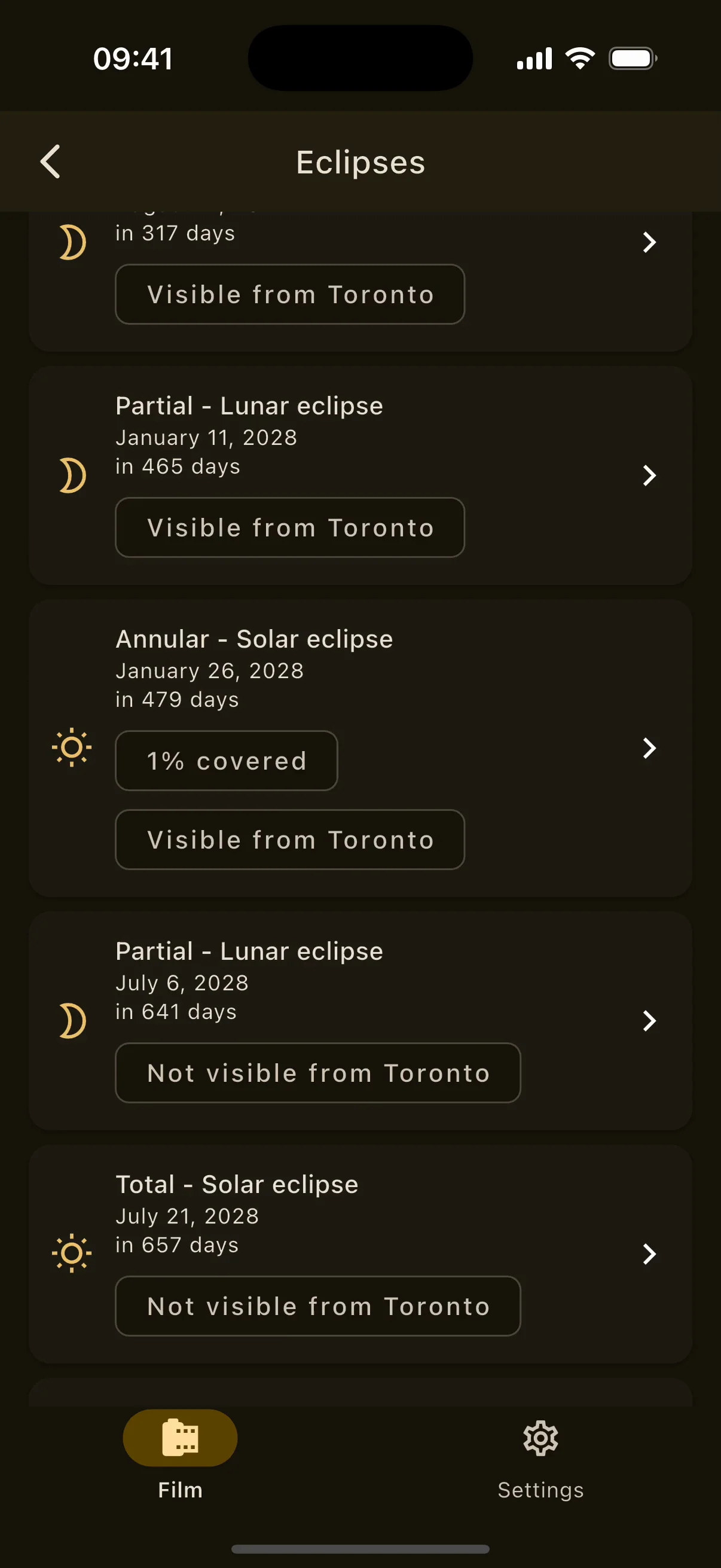
Eclipses screen on iPhone: upcoming solar and lunar eclipses with type, date and local visibility.
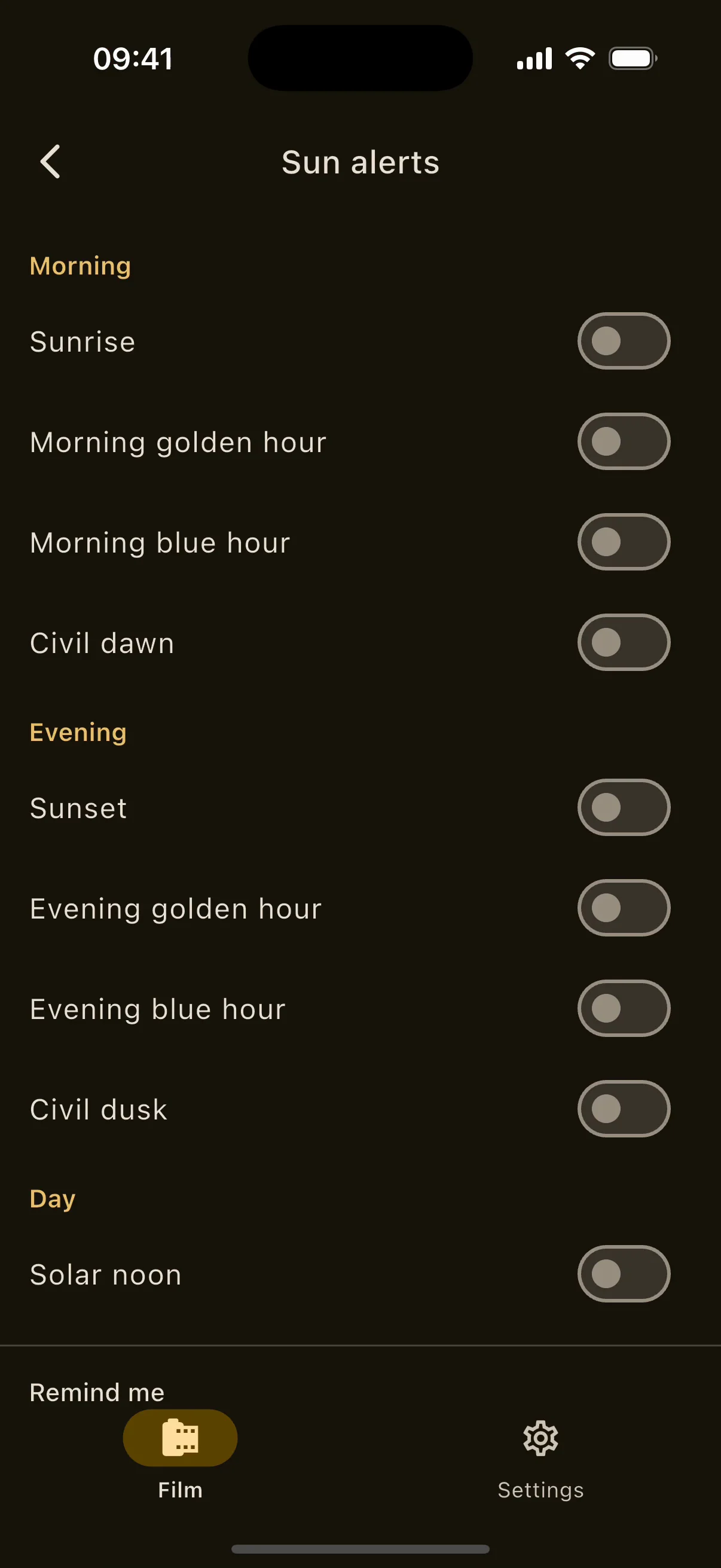
Sun alerts screen on iPhone: morning, day and evening events with lead-time options.

02Sun Tracker

See the lightbefore it lands.

The sun's whole path for any place and any date, drawn over what your camera sees. Every calculation runs on the phone.

  • ANY DATE
  • ANY PLACE
  • FULLY OFFLINE

Pick a city from 15,000 bundled ones, tap an offline world map, or stand where you are. The compass dial shows azimuth, elevation, shadow length and air mass; the AR view paints the path, the solstice arcs and the moon across the real sky. The Sun Tracker opens for an hour after a short rewarded ad, stays open when no ad can load, and is permanent with Pro.

Everything in Sun Tracker24 items

Location and date

  • GPS position by default, or search 15,000 bundled cities (GeoNames), enter coordinates, tap an offline Natural Earth world map, or pick a saved location.
  • Today, previous and next day, a date picker, and quick jumps to the March and September equinoxes and the June and December solstices.
  • Rolls over to the new day at midnight when no date was chosen.

Compass dial

  • Current azimuth and elevation, day and night arcs, shadow-length ratio and atmospheric air mass.
  • North-up or heading-up, with a figure-eight calibration hint.
  • Sixteen localised compass points.

Times and data

  • Sunrise, sunset, solar noon and day length.
  • Civil, nautical and astronomical dawn and dusk.
  • Morning and evening golden hour; morning and evening blue hour.
  • Midnight sun and polar night handled.
  • Clear-sky UV index estimate and irradiance in W/m².
  • An hourly table of sun directions and the equinox and solstice paths.

Eclipses

  • 22 solar and 23 lunar eclipses from 2026 to 2035, bundled.
  • Solar: total, annular, partial and hybrid, with contacts C1 to C4, maximum, magnitude, obscuration, sun altitude and a low-sun planning note.
  • Lunar: total, partial and penumbral, with begin and end times and whether the moon is up.
  • Visibility from your location, and reminders the day before and an hour before.

Sun alerts

  • Morning, day and evening events with lead times at the moment, 10 minutes, 30 minutes or an hour before.
  • Current or pinned location; scheduled seven days ahead and refreshed automatically.

Augmented reality view

  • Sun path with hour-labelled pills, solstice and equinox arcs, sunrise and sunset horizon markers, a live sun disc or an edge arrow when it is off screen.
  • Full offline moon layer: position, path, a lit crescent, eight phase names and illuminated percentage.
  • Horizon with cardinal ticks, an optional azimuth and elevation grid, and an aim crosshair with readouts.
  • Layer toggles for sun path, solstices, moon and grid. Sensors or drag mode; remote locations use drag.

Offline by design

  • Meeus solar position, Besselian eclipse elements, Kasten-Young air mass and Haurwitz clear-sky irradiance, all computed on the device.
  • No network calls at runtime; only the ad SDK and the purchase system ever touch the network.
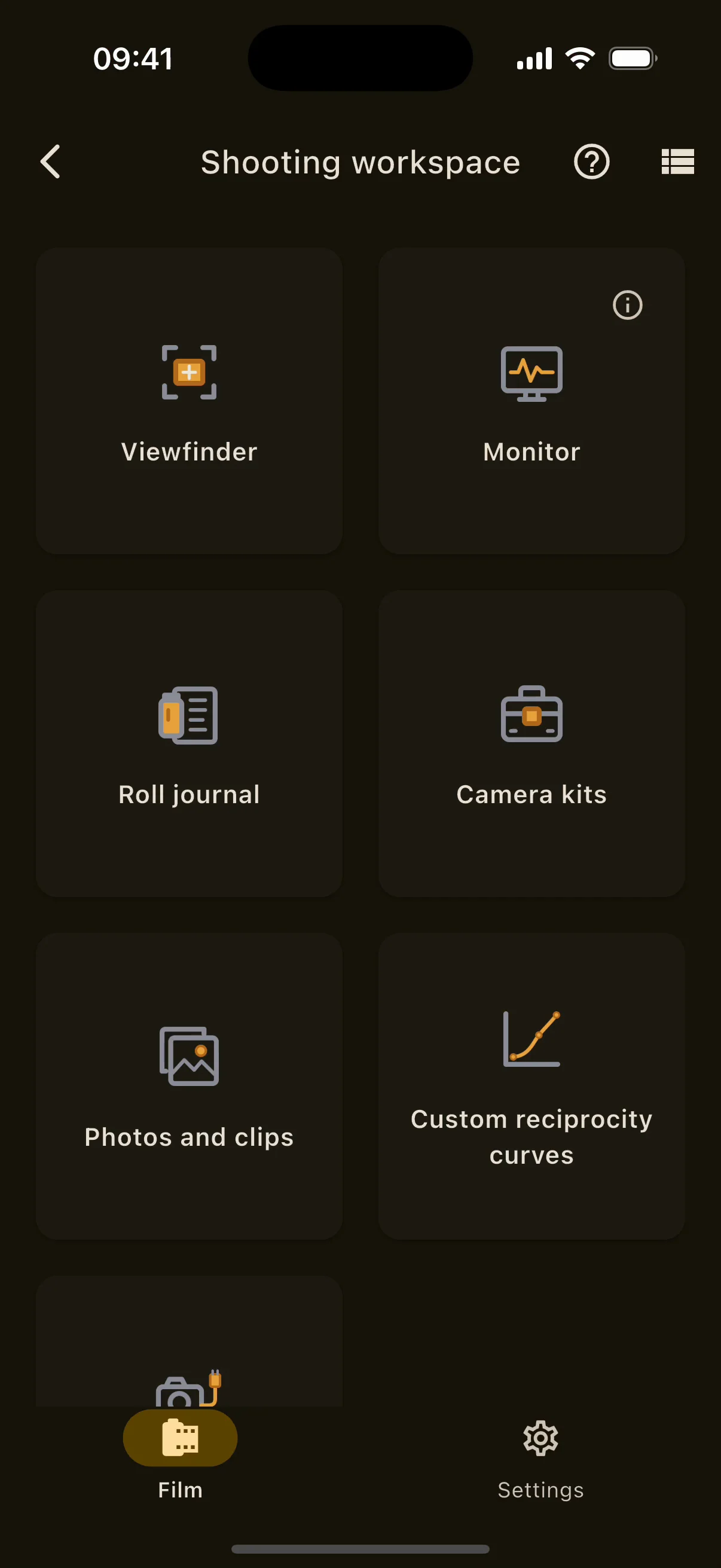
Shooting workspace on iPhone: Viewfinder, Monitor, Roll journal, Camera kits, Photos and clips, Custom reciprocity curves and External cameras cards.
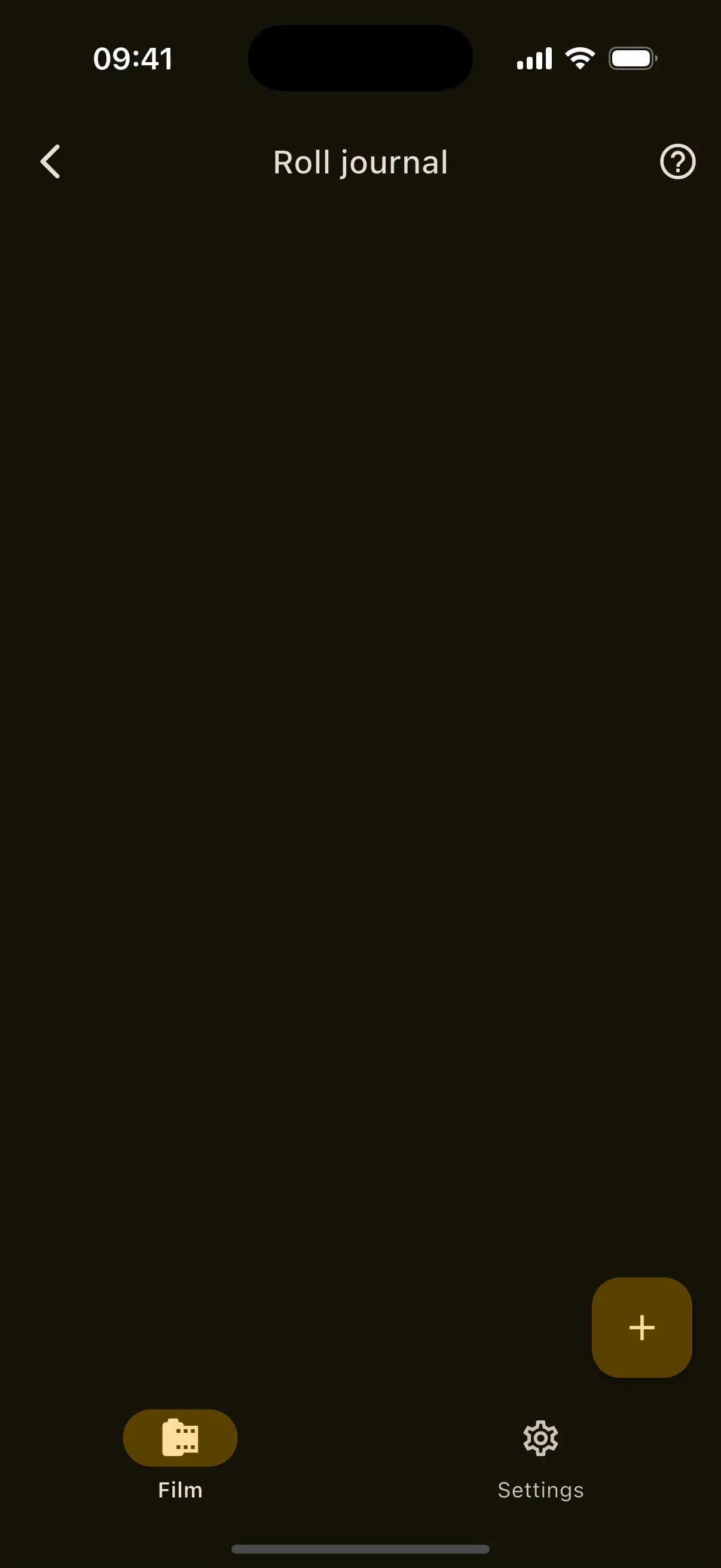
Roll journal on iPhone: rolls with film, frame capacity and logged frames.
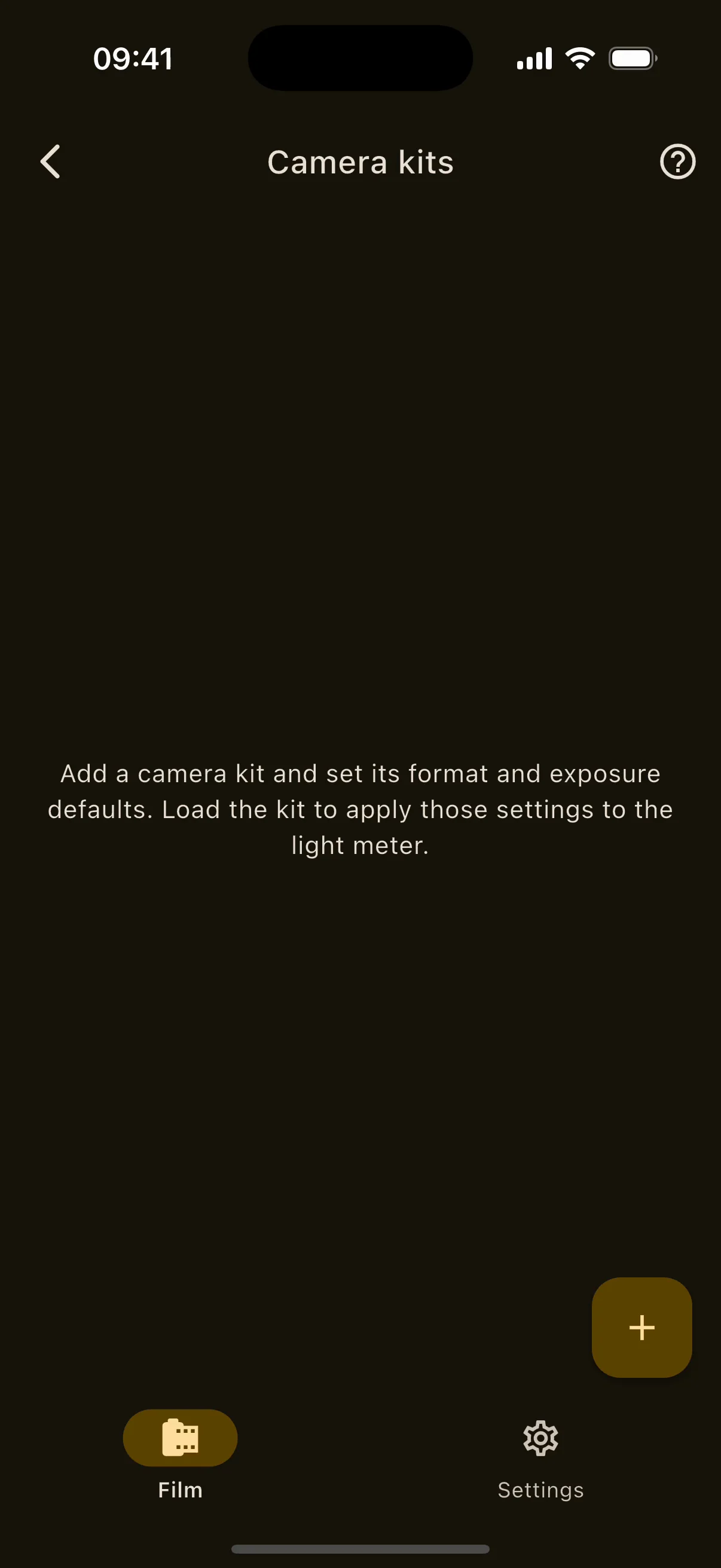
Camera kits on iPhone: saved camera and lens setups with their checklists.
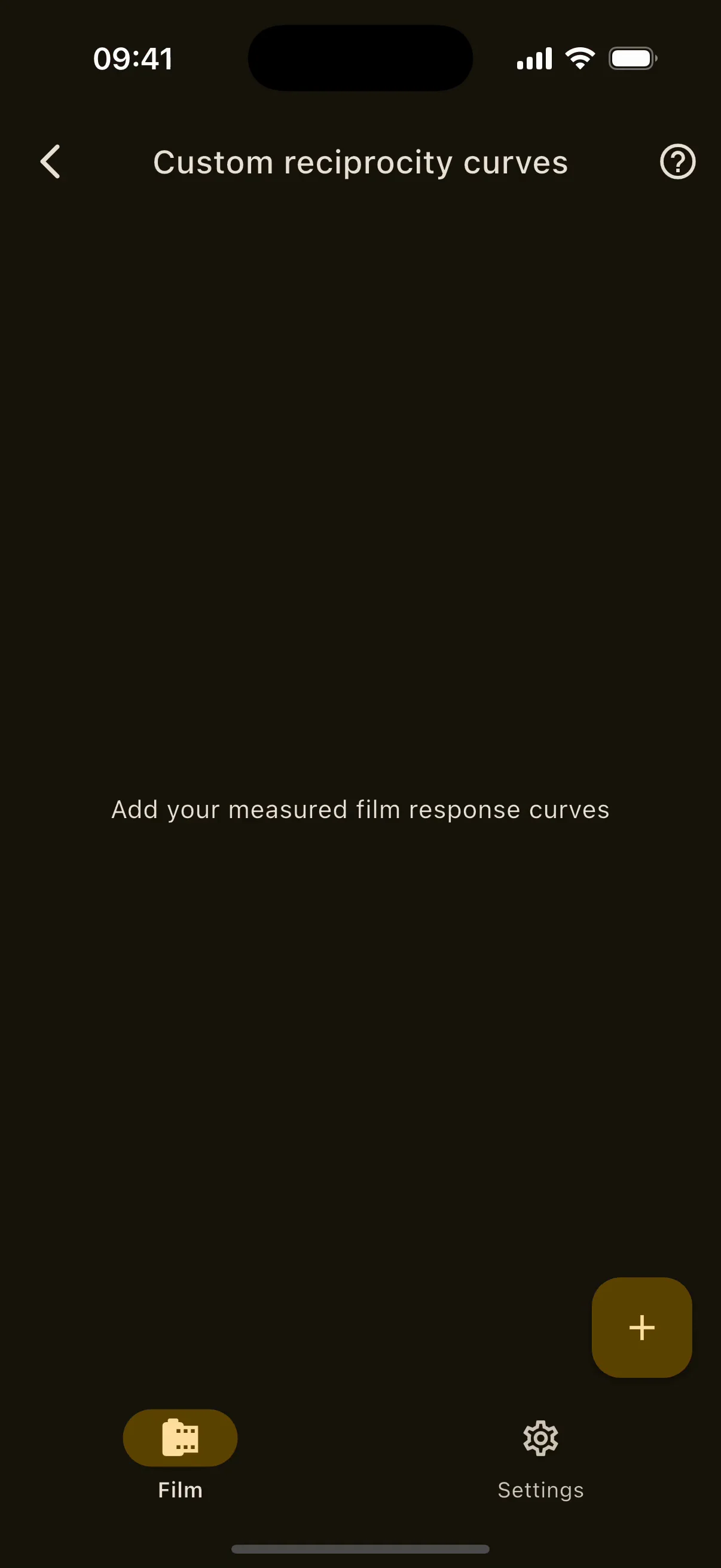
Custom reciprocity curves on iPhone with the bundled Kodak T-MAX 100 and Fujifilm ACROS II profiles.
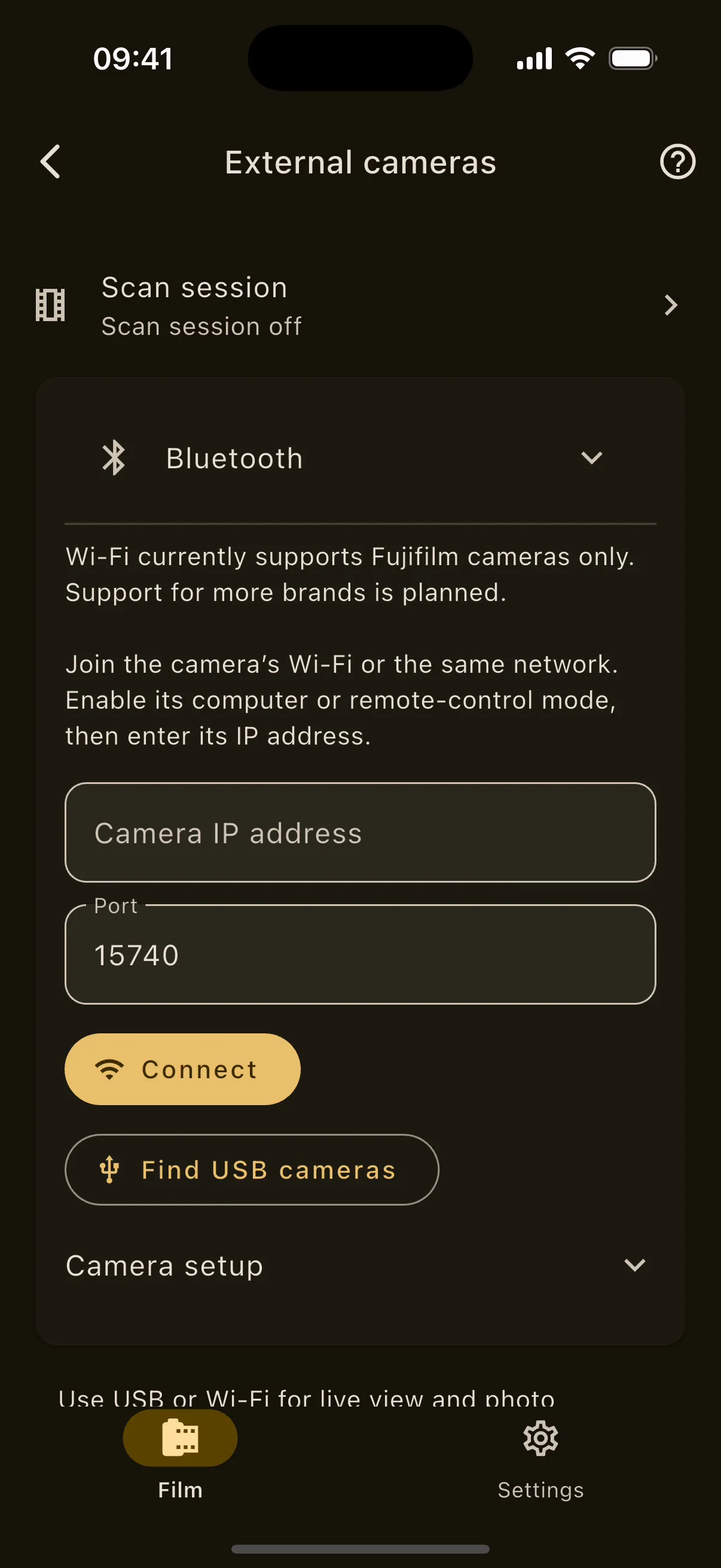
External cameras on iPhone: USB, Wi-Fi and Bluetooth connection options.

03Shooting workspace

Frame it.Monitor it.Log it.

A viewfinder for any format, a video monitor with real scopes, a roll journal, camera kits, and control of external cameras.

  • WAVEFORM · PARADE
  • ROLL JOURNAL
  • USB · WI-FI · BLUETOOTH

New in 1.14. Seven tools in one workspace: see what a 6×7 at 90 mm will frame before you load it, read a waveform and RGB parade off the live image, write every frame's exposure into a roll, save whole camera setups as kits, and drive a Canon or Fujifilm over USB.

Everything in Shooting workspace23 items

Viewfinder

  • Phone lens choice (ultra-wide, wide, telephoto) plus zoom.
  • Seventeen formats (sixteen presets plus custom width and height in mm) and any focal length.
  • Aspect ratios: full format, 1:1, 3:2, 4:3, 5:4, 16:9, 2.39:1 and 9:16, with the guide rotated 90° on demand.
  • Rule of thirds, diagonal and centre guides, a level, landscape support.
  • Rise, fall and shift in millimetres, and parallax correction from the phone's offset to the lens.
  • Panorama planning with overlap percentage, a black and white preview, and saves cropped to the chosen frame.

Roll journal

  • Rolls with a name, a film from the catalogue, your inventory or saved film types, frame capacity and order.
  • Per frame: exposure, ISO, aperture, shutter, filters, bellows, focal length, camera and lens, optional GPS coordinates, a linked saved meter reading and notes.
  • Edit or delete frames, finish and reopen rolls, export to CSV.

Camera kits

  • A snapshot of camera and lens, film format, exposure defaults, filters, bellows, calibration in EV, video frame rate, histogram, left-handed controls and a checklist.
  • Load a kit into the light meter and tick every checklist item before metering.

Photos and clips

  • A media library of imported originals with RAW+JPEG grouping and video playback.
  • Ratings, a Selected flag and library filters.
  • Non-destructive adjustments (film looks, LUT, desqueeze, RGB) with processed export, and Edit as negative to send a RAW to the negative editor.

External cameras

  • USB, verified with Canon and Fujifilm: discovery, live view, the exposure controls the camera advertises, capture, and start or stop recording.
  • Camera card browser with storage, folders and thumbnails; save copies to the library (files up to 512 MiB).
  • Fujifilm camera-controls mode: shoot with the camera's own shutter while photos transfer automatically.
  • Capture presets applied and verified before each shot.
  • Wi-Fi (Fujifilm, wireless tether fixed mode with the IP entered by hand): live view and full-resolution RAW transfer.
  • Bluetooth (Fujifilm): pairing and remote shutter release.
  • Up to four cameras at once with live images, group start and stop, and apply exposure to all. Not frame-synchronised.
  • LAN viewers: a revocable link lets others on the same network watch live view and a gallery in a browser, read-only, while the app is in the foreground.
  • Match timecodes with free-run non-drop timecode, stated as not frame-accurate.

04Monitor

Scopes onthe phone.

Waveform, RGB parade and a vectorscope on the live image, with zebras, peaking and LUTs, in landscape.

  • WAVEFORM · PARADE
  • ZEBRAS · PEAKING
  • LUT · FILM LOOKS

Turn the phone sideways and it becomes a field monitor for a cine or video camera: broadcast-style scopes computed on the GPU at 15 frames per second over a preview of up to 1080p at 30, with imported .cube LUTs and five film-inspired looks.

Everything in Monitor7 items

Monitor

  • Waveform, RGB parade at 1024 levels and 1024 columns, and a BT.709 vectorscope with 100% and 75% colour-bar targets; each scope expands.
  • Zebras, focus peaking and tap to focus.
  • Imported 1D and 3D .cube LUTs, a reference-image wipe, manual white balance, black and white filters, frame and delivery guides, anamorphic desqueeze.
  • Five film-inspired looks labelled as approximations: HP5, Tri-X, Acros, Portra and Velvia.
  • Opt-in microphone peak and RMS level meter.
  • Native Metal and GLES 3 pipeline: preview to 1920×1080 at 30 fps, scopes at 15 fps, stills to 24 MP with the look applied.
  • External USB video sources on Android and USB-C iPads.
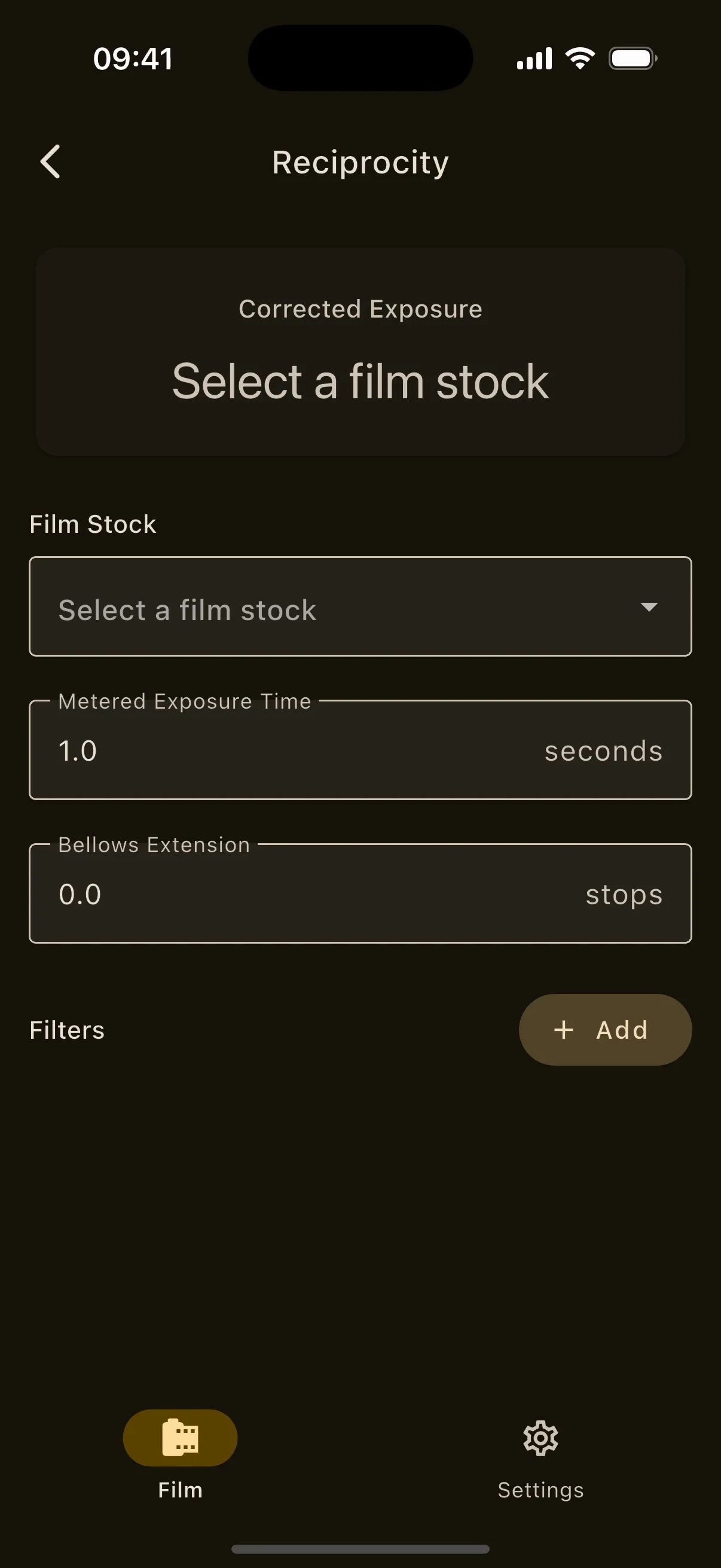
Reciprocity calculator on iPhone with the film stock, metered time, bellows and filter inputs.
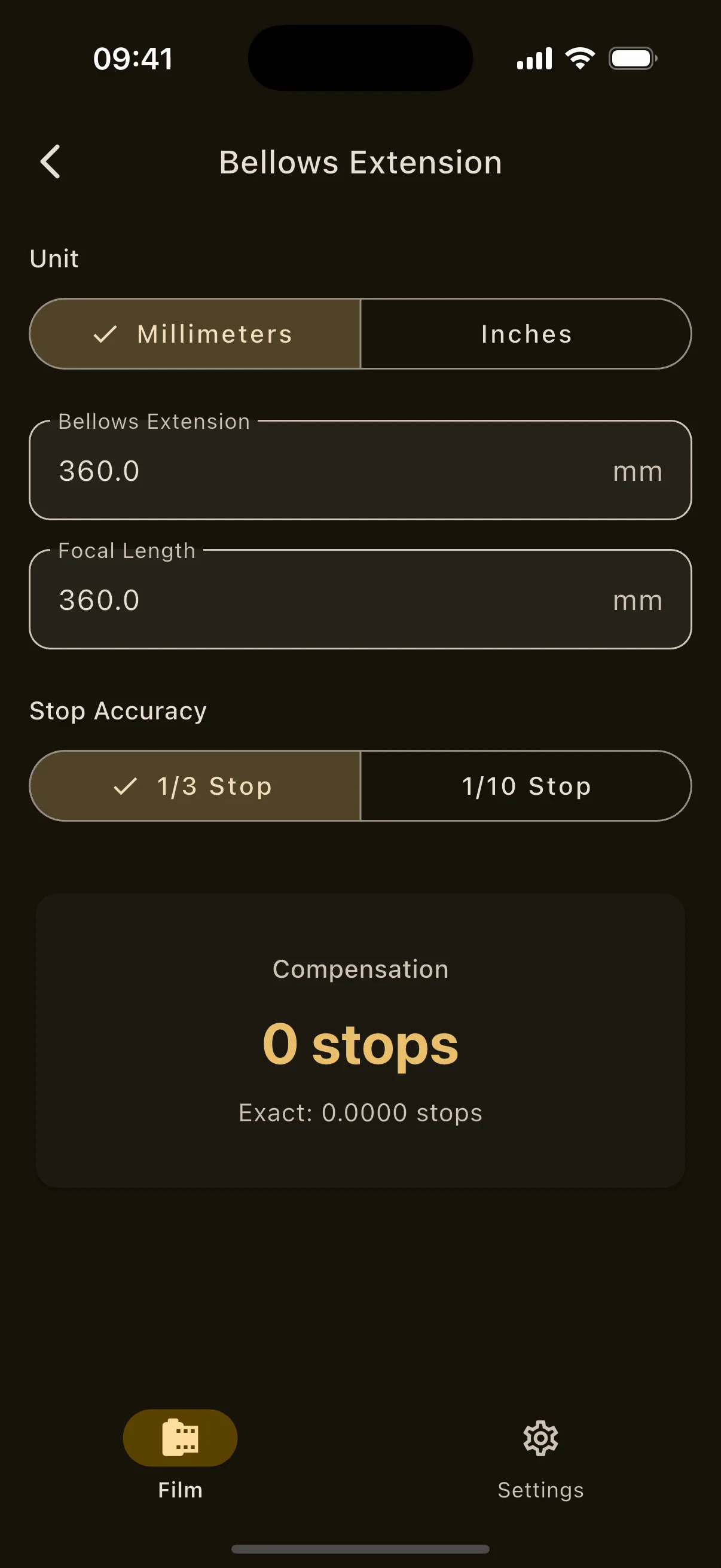
Bellows extension calculator on iPhone with extension and focal length inputs and the result in stops.
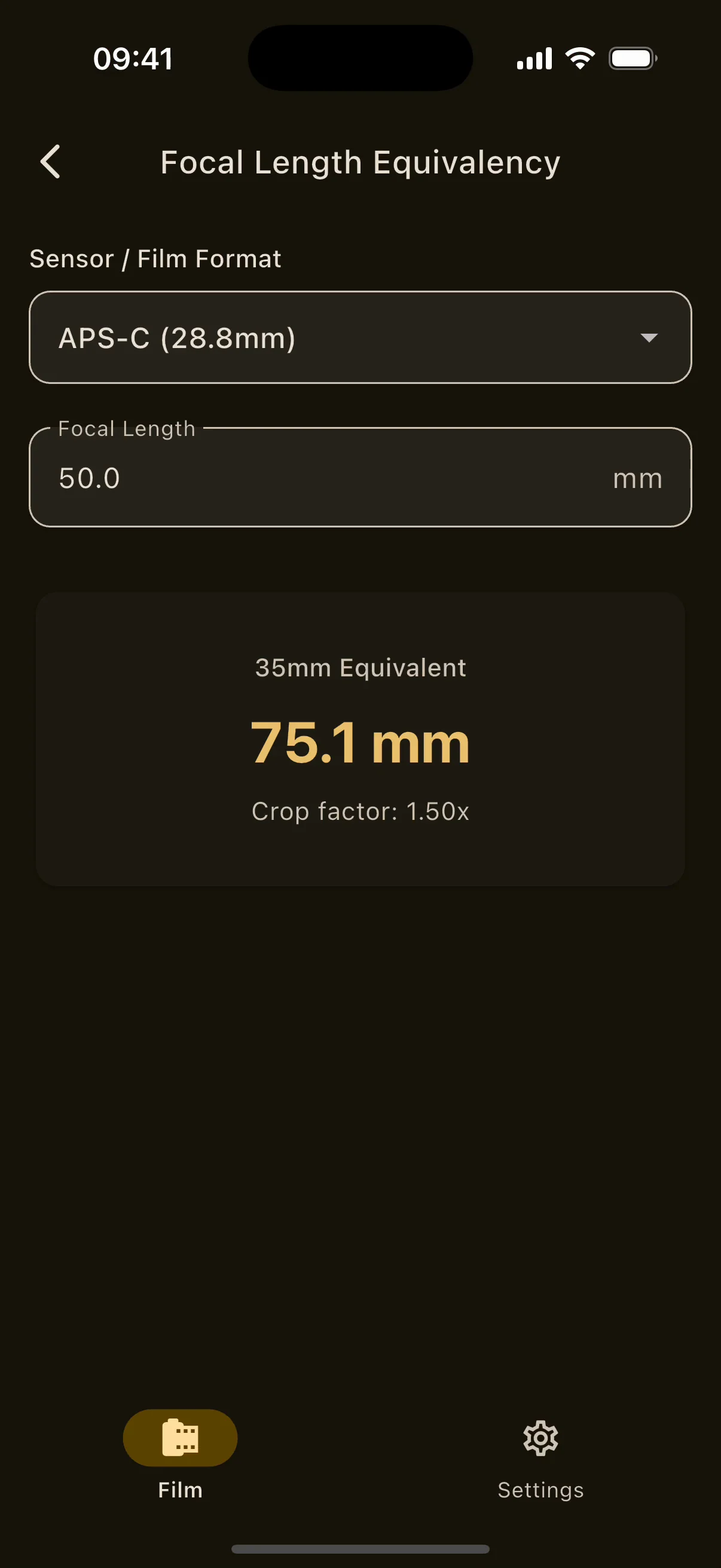
Focal Length Equivalency on iPhone with the format picker, crop factor and 35 mm equivalent.

05Exposure calculators

Every number,worked out.

Exposure timer, reciprocity, bellows, focal length and depth of field, with a live AR depth ruler on supported phones.

  • ANY FORMAT
  • 1/3 OR 1/10 STOP
  • M OR FT

The arithmetic of film, done with the film's own data: nineteen stocks with published reciprocity curves, forty-two filters, sixteen formats, and a bellows factor shown the way a view camera user reads it.

Everything in Exposure calculators25 items

Exposure Timer

  • Configurable duration with start, stop, resume and reset, plus an optional preparation delay.
  • A low-latency tick every second and an end cue; the screen stays awake.
  • A clock face with tick marks, a minute progress arc and a trace.
  • A banner on every screen while it runs; a Live Activity in the Dynamic Island and on the iOS lock screen; a chronometer notification on Android. Tapping either returns to the timer.
  • Timing reconciled with the real clock after pause and resume.
  • Starts straight from the meter or the shooting workspace with filter, bellows and reciprocity corrections applied.

Reciprocity

  • Nineteen bundled stocks with published reciprocity data: Ilford SFX, Pan F+, Delta 100, 400 and 3200, FP4+, HP5+, XP2, Ortho+, Kentmere 100 and 400, Fomapan 100, 200, 400, 320 Retropan Soft and Ortho 400, Arista EDU 100 and 400, and CineStill.
  • Two formulas as manufacturers publish them: an exponent (Ilford style) or per-range multipliers at 1, 10 and 100 seconds (Foma and Arista style).
  • Add several of 42 optical filters: generic 0.1 to 0.9 stops, linear and circular polarisers, ND 0.3 to 1.8, Big Stopper and Super Stopper, Schneider and Rodenstock centre filters, UV, Skylight, CC10R, Wratten 8, 11, 21, 25, 29, 58 and 89B, the 81, 82 and 85 series.
  • Bellows extension in stops. Light loss is applied before the reciprocity correction, since the film experiences the extended time.
  • Result card with the corrected exposure and a reciprocity-only baseline.
  • Custom reciprocity curves from your own measured pairs, interpolated without extrapolation, plus bundled manufacturer profiles for Kodak T-MAX 100 and Fujifilm ACROS II that keep the maker's aperture instructions and refuse unpublished ranges.

Bellows extension

  • Bellows extension and focal length in millimetres or inches.
  • Rounded to a third or a tenth of a stop, written like a view camera user says it: 1 + 2/3 stops, with the exact value to four decimals.

Focal length equivalency

  • Crop factor and 35 mm equivalent for sixteen formats: full frame, APS-C, Micro Four Thirds, Phase One P25, Phase One IQ and Hasselblad H, 6×4.5, 6×6, 6×7, 6×9, 4×5, 5×7, 8×10, 11×14, 14×17, 16×20 and 20×24.

Depth of field

  • Format, focal length, full-stop aperture and focus distance in metres or feet; circle of confusion from the diagonal/1500 convention, shown.
  • Near limit, far limit (can be infinity), total depth, hyperfocal distance, and the split in front of and behind the focus point.
  • A log-axis distance diagram with the sharp band, a hyperfocal marker and an infinity lane.
  • A three-layer scene preview where background and midground blur to match.

Live AR depth of field

  • A depth ruler painted on the real scene: every surface your format, focal length and aperture would render sharp. Free, no gate.
  • LiDAR or dual-camera depth on iOS, ARCore Depth on Android (installs Google Play Services for AR on request).
  • Tap to set focus distance, synced both ways with the calculator; centre reticle distance readout.
  • Honest trust indicators: beyond reliable range, relative depth only. No fake fallback on unsupported phones.
  • Band styles solid, stripes or outline; colour, opacity and a split near/far tint.
  • A framing guide for what the lens will actually frame, with an optional portrait frame; save or share the frame.
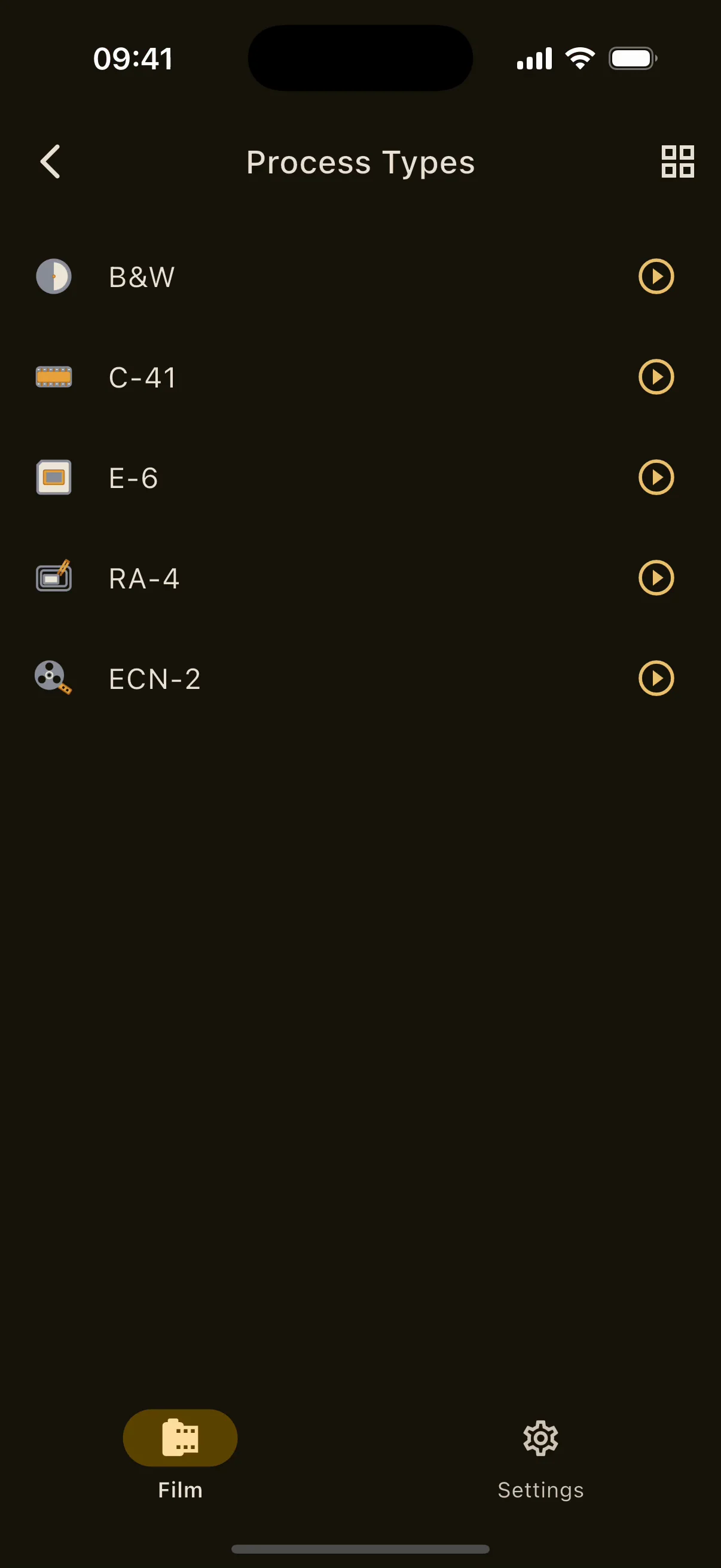
Process types on iPhone: B&W, C-41, E-6, RA-4, ECN-2 and custom processes.
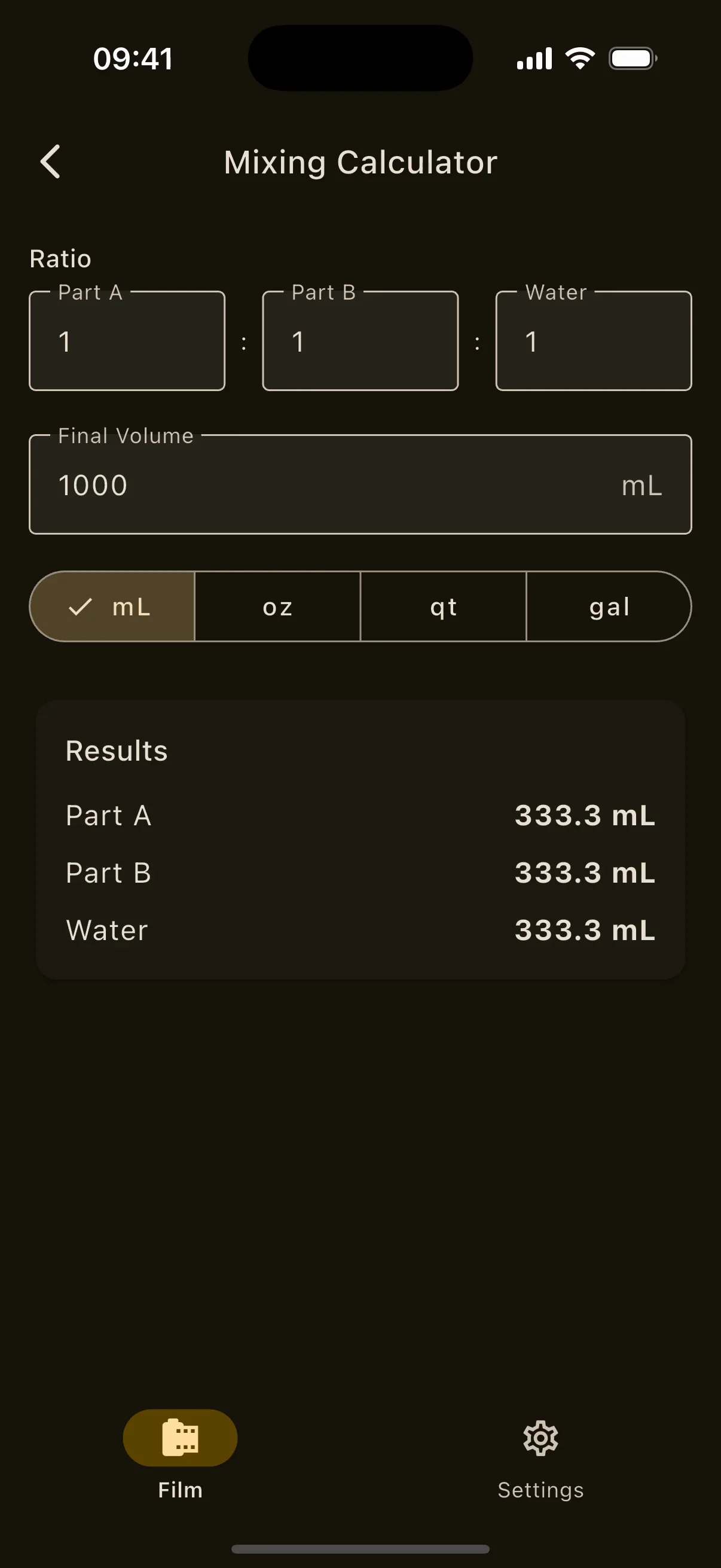
Mixing calculator on iPhone: part A, part B and water from a ratio and a final volume.
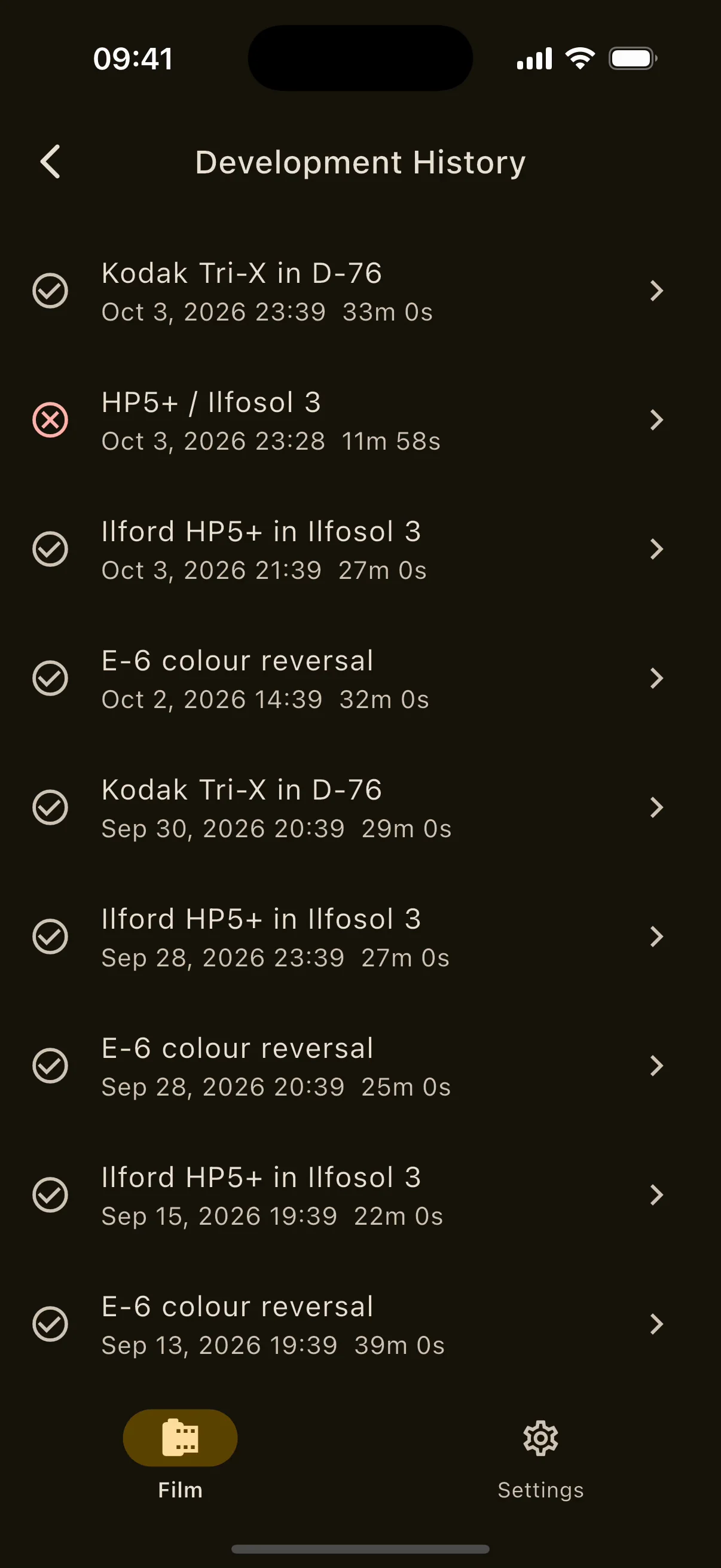
Development history on iPhone: completed runs with process, chemistry and duration.

06Development

Timing thatbeats the lock.

Published times for 22 black and white films and the colour kits, and a workflow runner whose alarm fires even with the app asleep.

  • B&W · C-41 · E-6
  • RA-4 · ECN-2
  • CHEMISTRY LOG

Each phase counts down against the wall clock, so it stays right when the app is suspended. When a phase ends the runner holds and alarms rather than advancing, because you are the one swapping chemistry. If the system kills the app, the session returns on relaunch exactly where it was.

Everything in Development23 items

Process charts

  • Black and white: 436 published entries covering 22 films and about 65 developer and dilution variants from Adox, Foma, Ilford, Kodak and Zebra, filtered by brand, film, developer and ISO, with favourites and notes.
  • Developers include D-76, ID-11, XTOL, HC-110, Rodinal, DD-X, Ilfosol 3, Ilfotec HC and LC29, Microphen, Perceptol, T-MAX and T-MAX RS, Fomadon, ADOX ATOMAL, FX-39 and ADONAL, 510 Pyro, Cinestill DF96, Dektol, Microdol-X, Bellini Euro HC, Moersch ECO 4812, Spur NHC and Rollei Supergrain.
  • C-41: ten kits (Unicolor, Arista, Film Flic, Bellini, Kodak), each rotary and agitation.
  • E-6: seven kits (Unicolor, Arista, Bellini rotary and agitation; Kodak rotary).
  • ECN-2: four kits (FilmFlic and Bellini, rotary and agitation).
  • RA-4: developer 45 s and blix 60 s at 35 °C, then a 120 s wash.
  • Kit temperatures in your unit, Celsius or Fahrenheit.

Black and white adjustment

  • Temperature slider from 14 to 30 °C and push or pull from −2 to +3 stops.
  • A labelled heuristic (2.5 per 10 °C, ×1.5 per push stop, ÷1.4 per pull stop) rounded to five seconds with a 30 s minimum, a warning under five minutes, and a provenance note that these are starting points, not manufacturer data.

Custom processes

  • Name, film type, chemistry, brand, film and ISO; steps dragged into order, each with duration, temperature, notes and agitation.
  • Agitation modes: none, at start, post-start (start after, frequency, burst length) and constant.
  • Search and filter; share and import as .vintiso files that open from Mail or Files on both platforms, with clear errors for damaged, newer-version or incomplete files.

Workflow runner

  • Per-phase countdowns anchored to the wall clock.
  • Agitation cues, a warning beep five seconds before each burst, countdown beeps in the last five seconds.
  • Hold and alarm at the end of each phase; no auto-advance. Pause, resume, previous, next, skip and finish. The screen stays awake.
  • A guaranteed native phase-end alarm in the background: an iOS scheduled notification, Android AlarmManager; a near-silent audio loop keeps cues firing.
  • Lock screen: Live Activity and Dynamic Island on iOS, chronometer notification on Android, both deep-linking back. A Development banner on every screen while a run is active.
  • Cold-start session restore after the OS kills the app, as running or as step complete.
  • Localised step names: developer, stop bath, fixer, wash, wetting agent, bleach, blix, stabiliser, first and colour developer, reversal, pre-wash, pre-warm, pre-heat, pre-bath, pre-bleach, rem-jet removal, rinse, final rinse and warm-up.

History, chemistry, mixing and test strips

  • Development history: completed and cancelled runs with start, end, duration, process, film type, chemistry, theme, skipped steps and editable notes.
  • Chemistry batches: kind (developer, stop bath, fixer, bleach, stabiliser, other), mixed-on date, expiry with quick chips, capacity in uses, dilution and notes; status chips fresh, expiring soon, exhausted and expired; one-tap +1 use; a log sheet after each run; usage history; expiry notifications.
  • Mixing calculator: part A, part B and water from a ratio and a final volume, in mL, oz, qt or gal.
  • Test strip timer: f-stop sequences from a base exposure in 1/3, 1/2 or 1 stop increments, cover-up or individual mode, a table of each strip's exposure and total, 0.1 s accuracy, arm, expose and move; no pause, since an enlarger lamp cannot pause.

07Darkroom

Built forthe dark.

Safelight themes for the timer and the test strip, down to a wavelength you choose.

  • RED · GREEN · BLUE
  • CUSTOM
  • SPECTRAL 380–780 NM

Red, green, blue or white on black, or your own foreground and background picked by colour, by RGB, or by wavelength on a spectral slider from 380 to 780 nm. The runner and the test strip timer render entirely in the chosen colour, so the only light in the room is the one you meant.

Everything in Darkroom4 items

Themes

  • Red on black, green on black, blue on black, white on black, or the app theme.
  • Custom themes with foreground and background chosen three ways: picker, RGB values, or spectral wavelength selection from 380 to 780 nm.
  • The development runner and the test strip timer use the theme on every pixel, including controls and the step list.
  • The app itself offers light, dark and system themes for daylight and studio use.

08Negative Preview and Editor

Positives,in real time.

Point at a negative and see the picture before it is scanned. Then open the scan in a darkroom-grade editor with RAW, paper and print tools.

  • METAL · GLES
  • RAW · 16-BIT TIFF · JXL
  • PAPER PROFILES

The inversion runs on the GPU, Metal on iOS and GLES on Android, so the positive appears at camera speed. Behind the preview is a complete negative editor: LibRaw decoding, film-base sampling, six paper profiles, split grading, lith and cyanotype, infrared dust cleanup, stitching, trichrome and HDR merges, soft proofing and 16-bit TIFF or JPEG XL output.

Everything in Negative Preview and Editor47 items

Live preview and capture

  • Real-time negative-to-positive inversion through a native GPU pipeline, in colour, black and white or slide mode.
  • Capture as RAW (DNG or ProRAW where available) or JPEG; zoom and tap to focus.
  • Scan sessions with a chosen roll, automatic frame numbering, retake, and optional automatic RAW conversion into the editor.

Library

  • Import camera RAW, JPEG, PNG, TIFF, JPEG XL and DNG from Files, whole folders with subfolders, or by drag and drop. Duplicates detected; progress, cancel and retry.
  • Up to 64 linked scan folders that stay in place, and a watch folder that imports new scans while you work.
  • Keep and reject flags, keeper and hide-rejected filters, sorting by date or name, multi-select.
  • Search with quotes, exclusions and numeric or date comparisons; filename regex; metadata queries (shot date, library date, dev time, temperature, camera, scanner); search across saved folders including files not yet imported.
  • Storage and database inspector; locate or restore a missing original verified by fingerprint.

Inputs and RAW decoding

  • Camera RAW through LibRaw: Fujifilm RAF including X-Trans, Canon CR2 and CR3, Nikon NEF and NRW, Sony ARW; linear DNG and RGB plus infrared DNG.
  • Scanner-native formats: Coolscan NEF and ICC, Pakon planar, Noritsu BGR, Flextight RGB and LogLuv.
  • Demosaic: auto, linear, VNG, PPG, AHD, DCB, DHT and AAHD, with separate preview and export choices; AHD runs on the GPU on both platforms.
  • RAW white balance as shot or neutral.

Conversion, levels and calibration

  • Film base sampling on the unexposed border to remove the orange mask; a neutral colour picker; manual RGB levels from −25% to 125%.
  • Auto levels with shadow and highlight clipping, edge inset, a custom analysis area and colour balancing with separate tonal and colour clipping.
  • Automatic detection of colour negative, black and white negative or transparency.
  • Roll analysis with a shared tonal range and colour balance, named roll baselines, outliers excluded.
  • Scanning setup wizard (digital camera or film scanner, white or RGB light), narrowband RGB-LED correction with a bundled RGBScan ICC, sensor calibration from three RAW files, dye crosstalk matrix profiles including a bundled generic C-41, and flat-field correction from a photo of the bare light.

Geometry

  • Free or ratio crop with ratio detection and swap; composition guides: phi grid, golden triangles, golden spiral, armature and the diagonal method.
  • Auto crop to image or film edge with rebate trim and offset; batch auto crop where matching frames assist weaker edges.
  • Rotate 90°, flip, fine rotation, vertical and horizontal perspective, lens distortion and draw to straighten.

Colour

  • Temperature and tint; global, shadow and highlight CMY filtration; a colour test grid in 2cc steps; temperature lock across frames.
  • Measured colour-cast removal with a confidence indicator; chroma control, skin protection and colour noise reduction.

Paper and print tone

  • Paper response: print density, contrast as ISO R, simulated paper white and black; shadow and highlight density and grade for split grading; snap, toe and shoulder; per-RGB trims and dye separation.
  • Six paper profiles plus neutral: Ilford Multigrade RC Deluxe, Ilford Multigrade FB Classic, Fomatone MG Classic, Fomabrom Variant, Kodak Endura Premier and Fujicolor Crystal Archive DPII.
  • Automatic density and grade with targets for midtone brightness, shadow reach and highlight hold; an exposure test grid; a contrast mask.
  • Main, R, G and B curves with control points; exposure, black point, white point and contrast sliders.

Local adjustments, detail and effects

  • Polygon, oval and card-edge masks with feather, invert and point editing; print exposure in stops and grade change per mask for dodging and burning; printing notes as a hatched burn and dodge map for the real darkroom.
  • Sharpening by unsharp mask or deconvolution with amount, radius and edge masking; local contrast; glow and halation; vignette.

Alternative processes and toning

  • Lith with snatch point and abruptness; cyanotype with classic Herschel or Ware sensitiser, exposure scale, bleach and tannin.
  • Chemical toners in sequence: selenium, sepia, gold, iron blue, copper and vanadium; split toning.
  • Paper border in millimetres with bottom weight and a colour matched to the toned paper white; a filed-carrier black frame with roughness, flare and corner rounding.

Dust, scratches and composites

  • Heal and scratch brushes; automatic cleanup with threshold and defect size; infrared cleanup from the scan's IR channel by OpenICE or NegPy methods; transport-line repair by tapping the line; inspect repair areas.
  • Split half-frame scans and export the pair as a diptych; stitch 2 to 16 overlapping scans; trichrome merge of R, G and B RAW captures; HDR merge of 2 to 16 brackets. All reversible.

Analysis

  • Input histograms in linear or relative density and an sRGB output histogram with log scale and clipping triangles.
  • Print-response graph with a 21-step wedge; print-zone occupancy with separation warnings; place print zones on the image; a pixel densitometer giving ΔD from film base and zone.
  • Image statistics (density range, midtones, highlights, repairs, gamut) and inspect views for the unconverted source, the neutral master and infrared.

Workflow and workspace

  • Non-destructive recipes, undo and redo, edit history, named workprints, presets, selective copy and paste of settings, batch apply with batch undo, carry settings to untouched frames, sidecar .filmfriend.json recipes, before and after against an auto baseline.
  • Adjustment panel below, beside or over the image with adjustable size; customisable toolbar and favourite sliders; text size; canvas background black to white; keyboard shortcuts with rebinding and scroll zoom.
  • GPU or CPU processing with optional parallel threads, memory and cache controls, a preview recovery mode, and diagnostics logs that contain no photos or filenames.
  • Analog metadata: camera, lens, film, roll, frame, development time and scanning setup; partial dates; capture location from an offline map, an online map, address search or a pasted Apple, Google or OpenStreetMap link; metadata presets.

Export and contact sheets

  • Finished print, flat master (16-bit log positive) or linear source (linear, sRGB, L* or Rec.709 with a range multiplier and optional infrared file).
  • JPEG, TIFF, PNG, WebP and JPEG XL at 8 or 16 bit, progressive JPEG, LZW, ZIP or lossless compression, JPEG XL distance and effort; full-resolution 16-bit TIFF.
  • Long edge in pixels, or a paper size with DPI and fit or fill.
  • sRGB, grayscale, Adobe RGB (1998), ProPhoto RGB, Display P3 and Rec. 2020, or a custom ICC profile up to 4 MB with rendering intent and black-point compensation; input ICC profiles.
  • Soft proofing with paper and ink simulation, gamut warning and up to 64 proof presets.
  • Export presets, ZIP delivery, filename templates, folder exports with conflict handling that resume, and export to Photos.
  • Contact sheets printed or shared as PDF or JPEG with cell size, spacing, margin, frames per sheet, labels and colours, saved as templates.
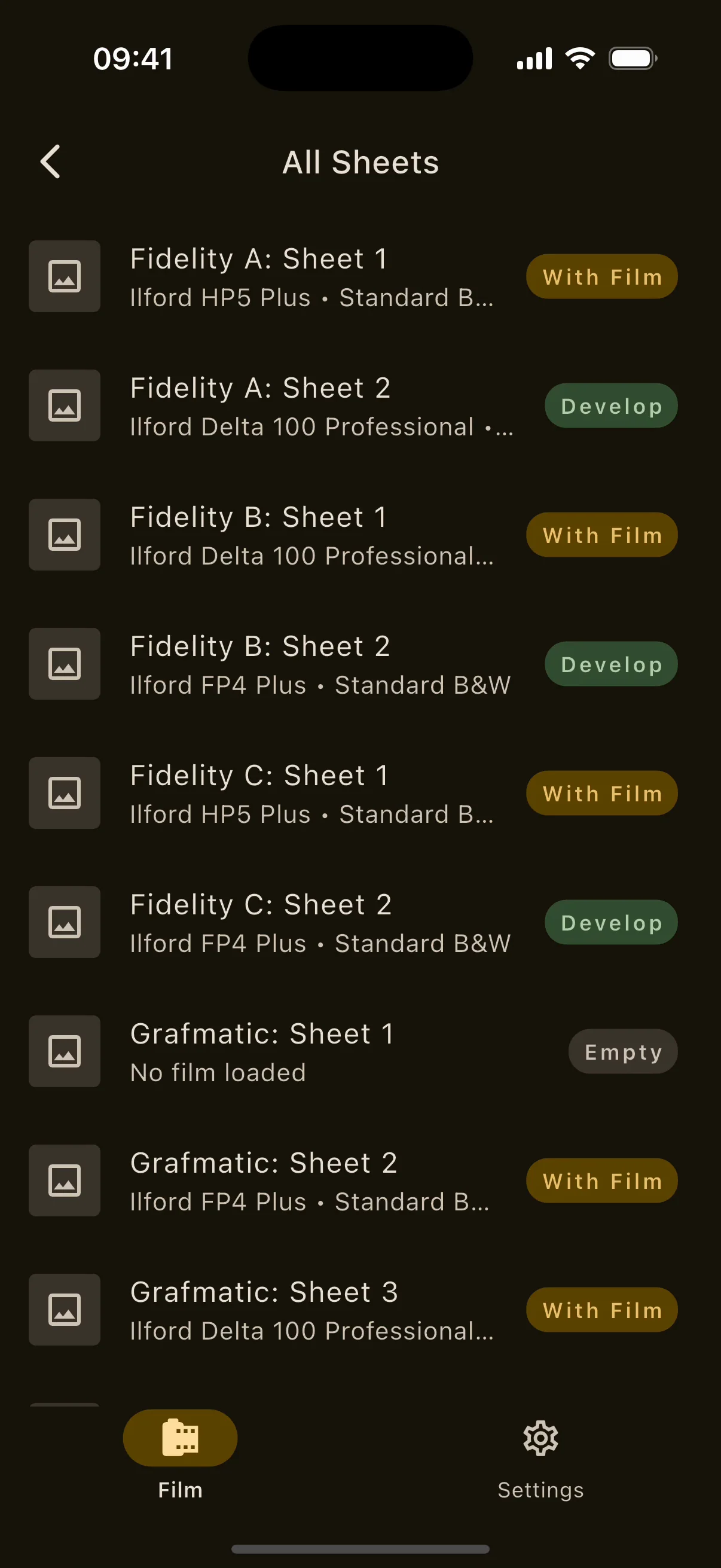
All Sheets on iPhone: every sheet across holders with its status.
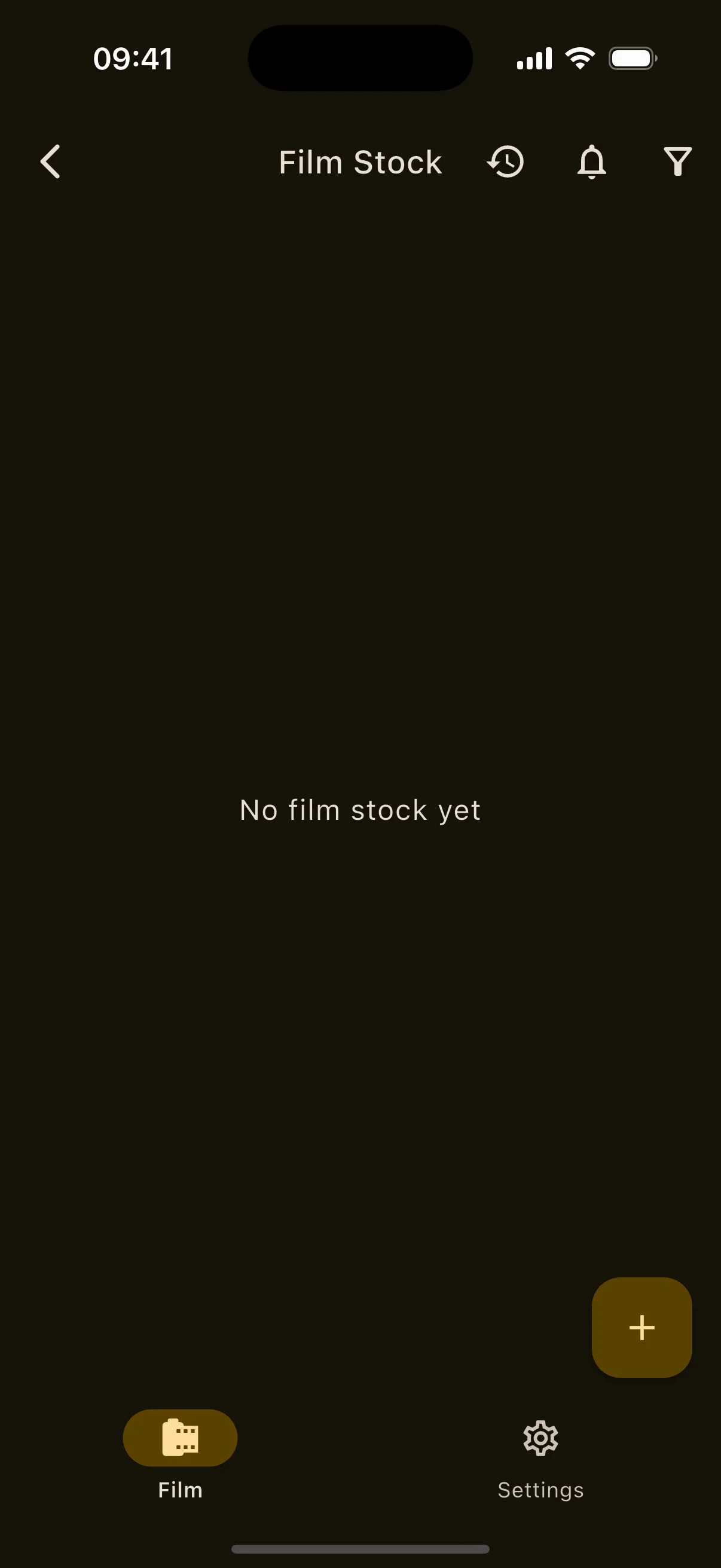
Inventory on iPhone: cameras, lenses, tripods, film stock, lights and accessories, then the film stock list.

09Film holders, inventory and catalogue

Know whatis loaded.

Every holder, sheet and roll, with a 246-film catalogue that fills in brand, ISO, process, type and format for you.

  • SHEET HISTORY
  • EXPIRY ALERTS
  • 246 FILM STOCKS

Large-format shooters know the question: which sheet in which holder is exposed? The app answers it, keeps the history of every sheet, and tracks the rest of the kit with condition, location, loaded film and expiry dates that raise a chip before the film goes off.

Everything in Film holders, inventory and catalogue13 items

Film holders

  • Holders with a name, description, sheet count and photo; drag to reorder; swipe to delete with confirmation.
  • Per-sheet status (empty, with film, develop), notes, a photo from camera or gallery, and a film type.
  • 34 built-in sheet films from 12 brands plus your own custom types (name, ISO, process), all searchable.
  • An All Sheets view across every holder and a history of every status or film change.
  • Export holder data to print, PDF or CSV; the PDF uses bundled Noto fonts so every script renders.

Inventory

  • Six categories: cameras, lenses, tripods, film stock, lights and accessories.
  • Photo, notes, location and condition (mint to poor); loaded film on cameras; aperture range and focal length on lenses; power output on lights; brand, ISO, process, type, format, amount and expiry on film.
  • Processes B&W, C-41, E-6, ECN-2, instant and other; print or slide; formats from 35 mm, 120 and 4×5 to bulk roll, instant, disc, single use and custom.
  • List filters with ranges and dates; use or restock rolls with a usage history of used, restocked and adjusted.
  • Expiry chips always on (amber soon, red expired) and opt-in reminders one week or one month before.

Film catalogue

  • 246 films from 41 brands: 136 black and white, 89 C-41, 8 E-6, 7 instant and 5 ECN-2, with discontinued and upcoming badges.
  • Search with brand and process filters; the app asks which format you have when a film comes in several.
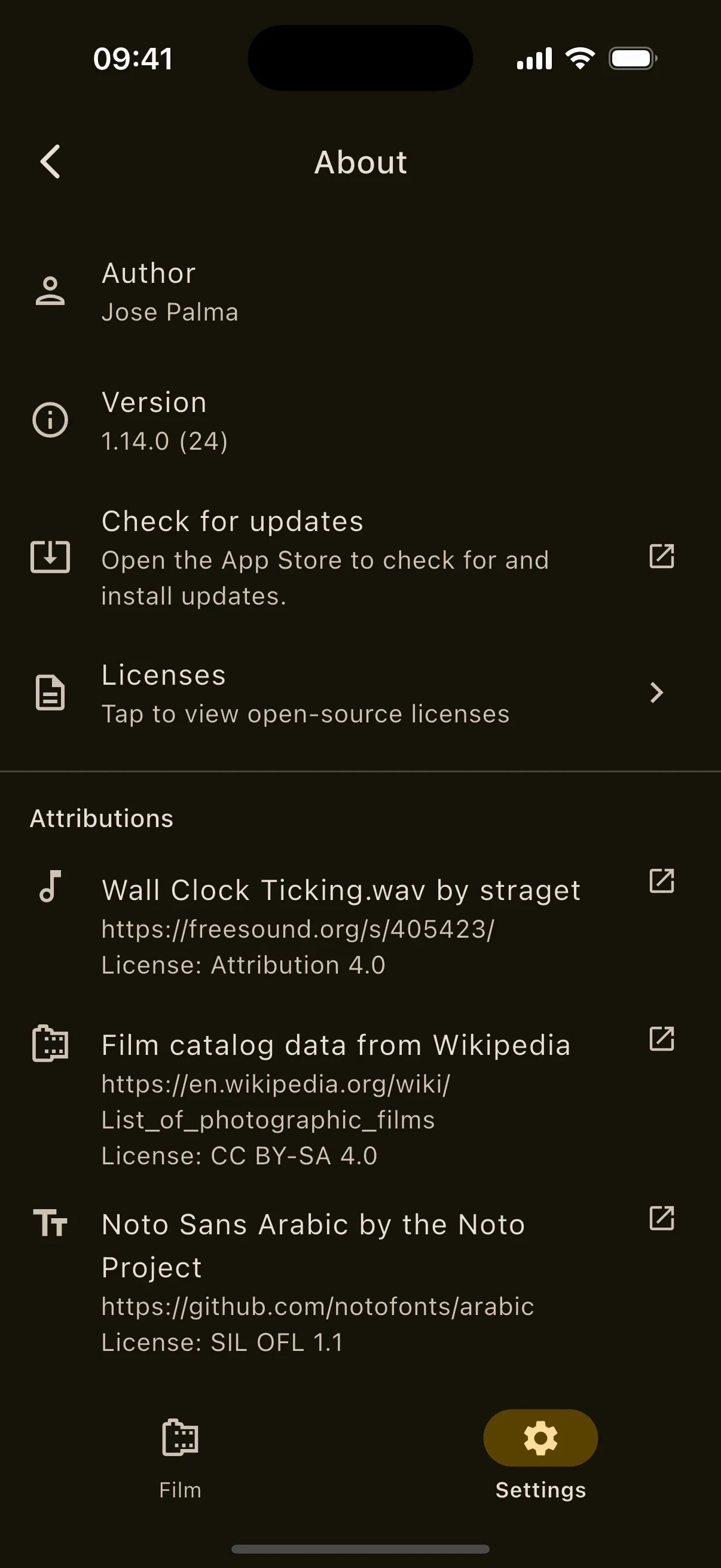
  • Data from Wikipedia's list of photographic films, CC BY-SA 4.0, credited in the app.

10Analytics

See whereyour film goes.

Four dashboards built from your own history. Every roll, batch and run counted, on the device.

  • 4 DASHBOARDS
  • FULL HISTORY
  • NOTHING LEAVES

A hub with four headline numbers, a period selector for 30 days, 90 days, 12 months or everything, and four dashboards drawn by the app's own charts in your locale's number format.

Everything in Analytics4 items

Dashboards

  • Holders: loaded now, awaiting develop, average turnaround, most-used film, exposed against developed over time, film usage, holder utilisation and current status mix.
  • Film stock: rolls consumed, in stock and expiring soon, most-shot stock, consumption over time, by stock, by format, by ISO, stock levels and an expiry timeline.
  • Chemistry: total uses, active batches, expiring soon, average uses per batch, most-used batch, uses over time and by kind, top batches, capacity and status mix.
  • Development: total runs, completion rate, average duration, most-used process, runs over time, by process and status, an activity calendar heatmap, and temperature and duration distributions.
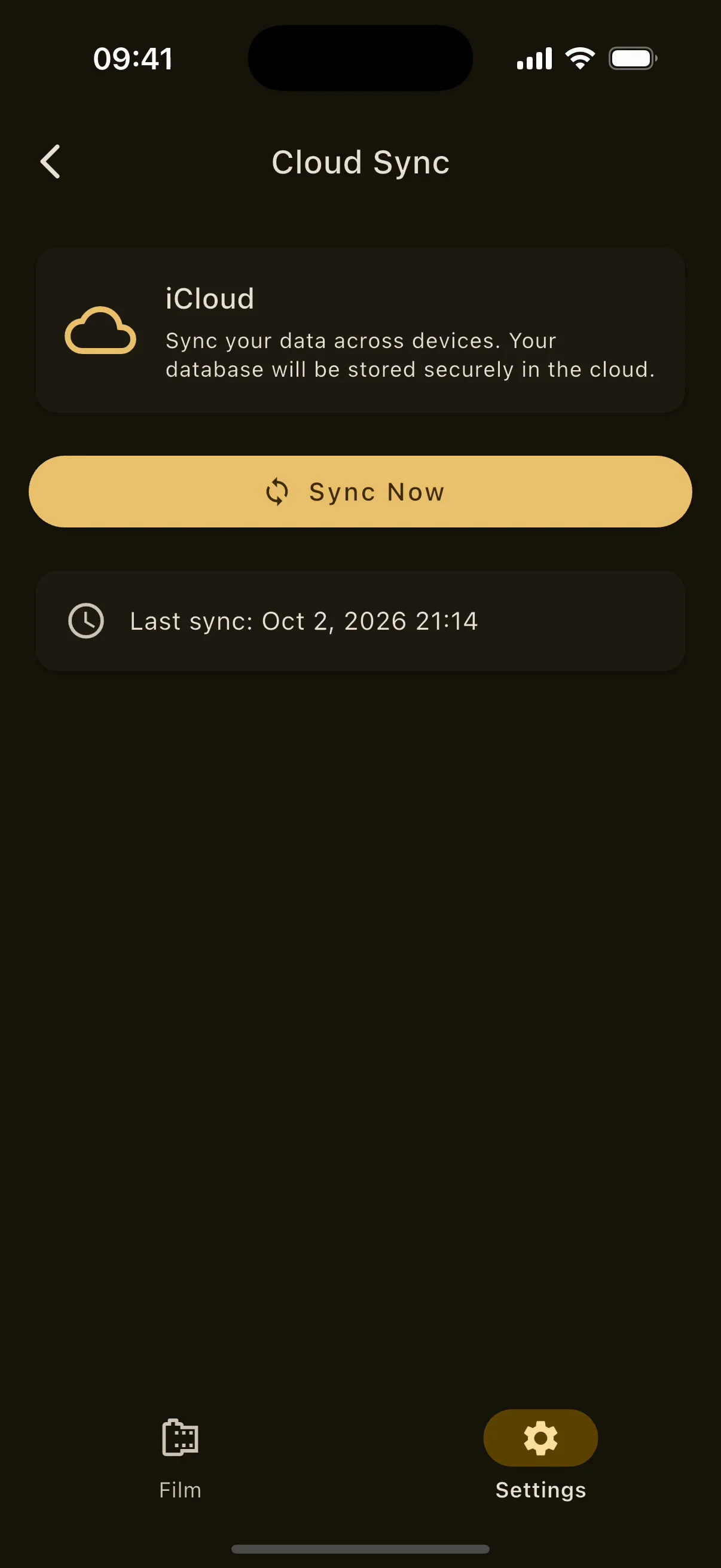
Cloud Sync on iPhone: iCloud sign-in state, Sync Now and the last sync time.
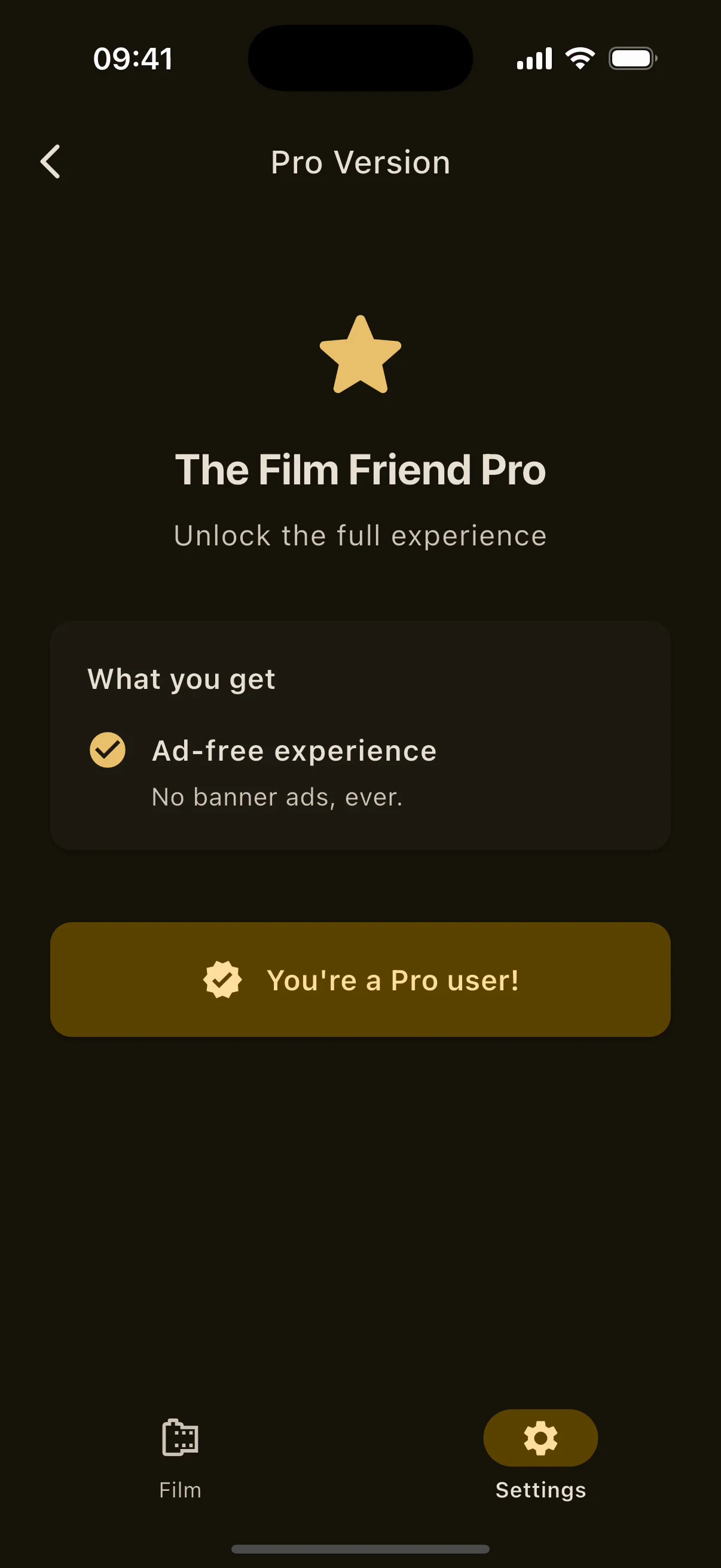
The Film Friend Pro screen on iPhone: no banner ads ever and the Sun Tracker permanently unlocked.
About screen on iPhone: author, version, licences and attributions.

11Yours

Yours. Offline.In your language.

No account. No signal needed. Your data exports whenever you want, and the whole app speaks 33 languages.

  • 33 LANGUAGES
  • CLOUD BACKUP
  • FULL EXPORT

Everything lives on the phone. iCloud on iOS or Google Drive on Android can hold a copy of the database; a single ZIP backup holds everything including photos; and processes, recipes, readings and journals export in formats other people can open.

Everything in Yours13 items

Make it yours

  • Light, dark or system theme with a deep-amber Material palette.
  • Reorder the Film hub by drag and switch between grid and list; choose the start screen: the hub, settings or any tool.
  • 33 languages including Urdu (right to left), Traditional and Simplified Chinese, Hindi, Japanese and Korean; follows the device or your pick.
  • Celsius or Fahrenheit across development steps and chemistry.
  • About 38 step-by-step tutorials in nine categories, contextual help on the shooting screens, and a replayable welcome tour.

Sync, backup and export

  • Cloud sync of the app database: iCloud on iOS, Google Drive on Android, with sync now, last sync time and a conflict dialog that lets you keep local or cloud.
  • One ZIP backup with holders, sheets, processes, history, themes, custom film types, inventory, preferences and photos; checksummed import that can recover from an interruption.
  • Holder data to print, PDF or CSV; roll journals to CSV; contact sheets to PDF or JPEG; meter readings as images; processes as .vintiso files; negative recipes as sidecar files; images in five formats.

Reminders and system integration

  • Opt-in notifications for film and chemistry expiry, sun alerts and eclipse reminders, the development phase-end alarm and the exposure end cue, rescheduled from your data on each launch.
  • Live Activities and the Dynamic Island for both timers on iOS; chronometer notifications on Android; deep links straight back to the right screen.
  • Share sheets and file associations on both platforms.

Privacy

  • No account, no first-party analytics and no crash-reporting SDK. Analytics dashboards and diagnostics stay on the device.
  • Only the optional cloud backup, the ad SDK on the free tier and the purchase system use the network; Pro devices make no ad requests at all.

12Free, and Pro

Free to use.Pro to own.

Free

No charge

  • Every tool, every calculator and the whole negative editor.
  • A single banner ad at the bottom of the screen. No interstitials, anywhere.
  • The Sun Tracker opens for one hour after a short rewarded ad. If no ad can load, the hour is granted anyway.

Pro

One purchase, forever

  • No banner ads, ever. A Pro device makes no ad requests at all.
  • The Sun Tracker, permanently unlocked.
  • Restore on any device signed in to the same store account.

Priced in your store's currency inside the app.

13Download

On your phone,in your language.

iPhone and iPad

iOS 18.0 or later. Live Activities and the Dynamic Island for both timers; iCloud backup of the database; Metal for the negative pipeline and the monitor.

Download on the App StoreQR code linking to the App Store listing

Android

Android 7.0 or later. Chronometer notifications and a guaranteed alarm for both timers; Google Drive backup of the database; OpenGL ES for the negative pipeline, the monitor and USB video input.

Get it on Google PlayQR code linking to the Google Play listing

33 languages: Bulgarian, Chinese (Simplified and Traditional), Croatian, Czech, Danish, Dutch, English, Estonian, Finnish, French, German, Greek, Hindi, Hungarian, Icelandic, Italian, Japanese, Korean, Latvian, Lithuanian, Norwegian Bokmål, Polish, Portuguese (Portugal and Brazil), Romanian, Russian, Slovak, Slovenian, Spanish, Swedish, Ukrainian and Urdu.